 Denys Rudenko
Edit on the chart: exits you can touch
Hyperliquid Lite is PrintWorld's app for perps (leveraged futures) on desktop and mobile. On a phone, a trader reacting to price had to leave the chart and dig through sheets to set a stop loss, take profit or margin. I designed a chart-focused edit mode where all three are adjusted on the chart, where the price is. The sheets stay for typing; the chart is for adjusting.
My role
- The app's design end to end: problem framing, five iterations, the prototype on desktop and mobile, the HTML spec.
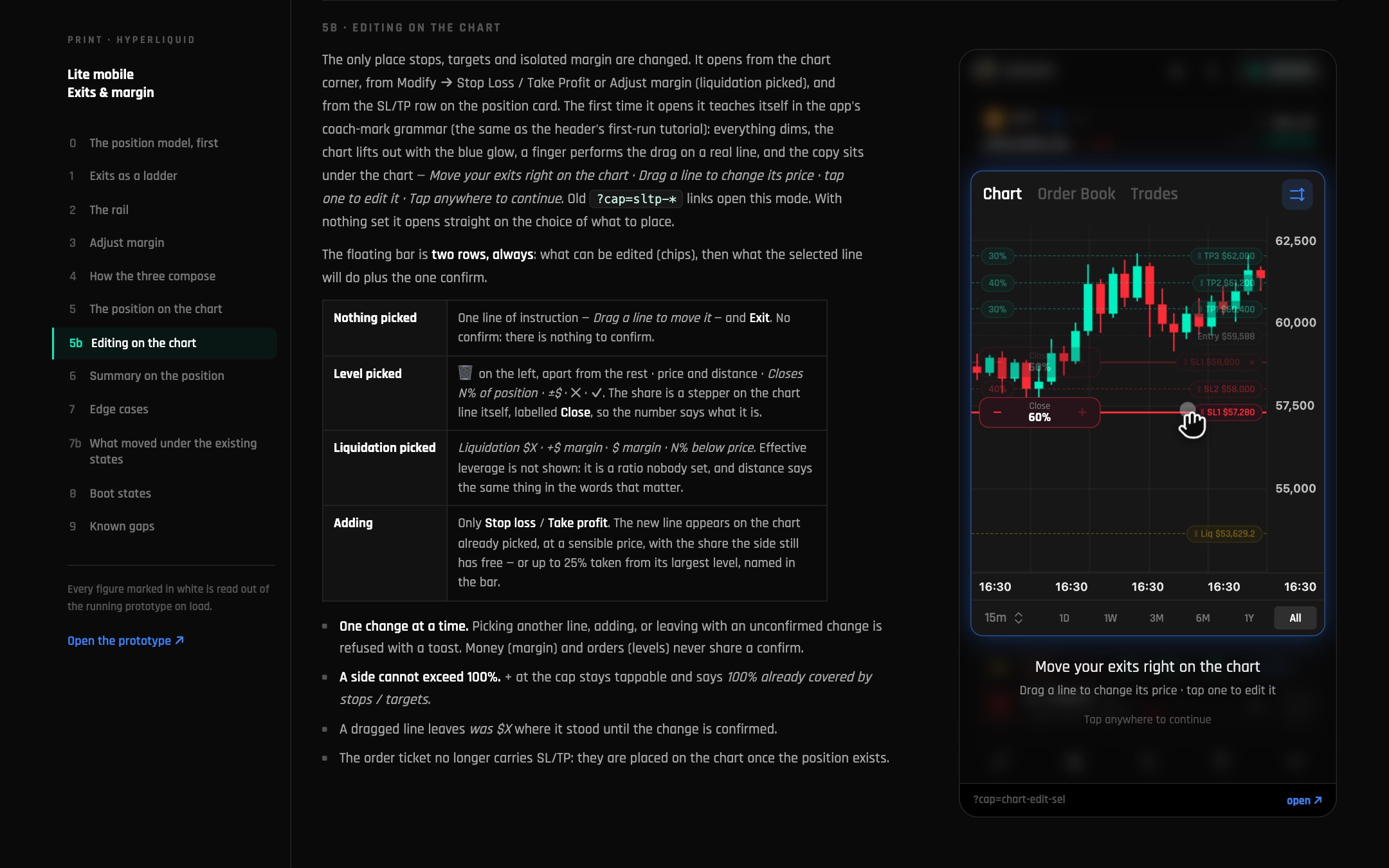
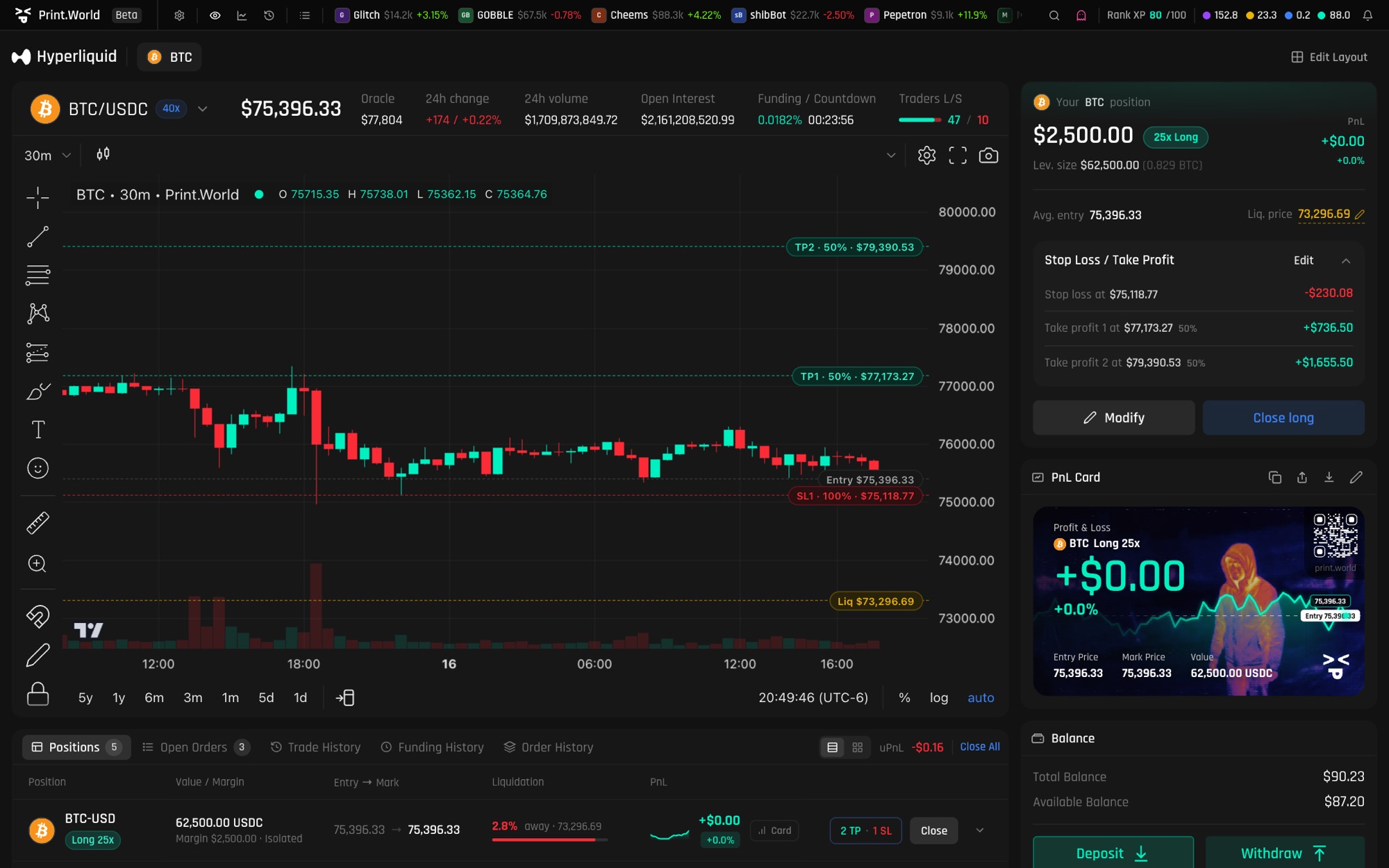
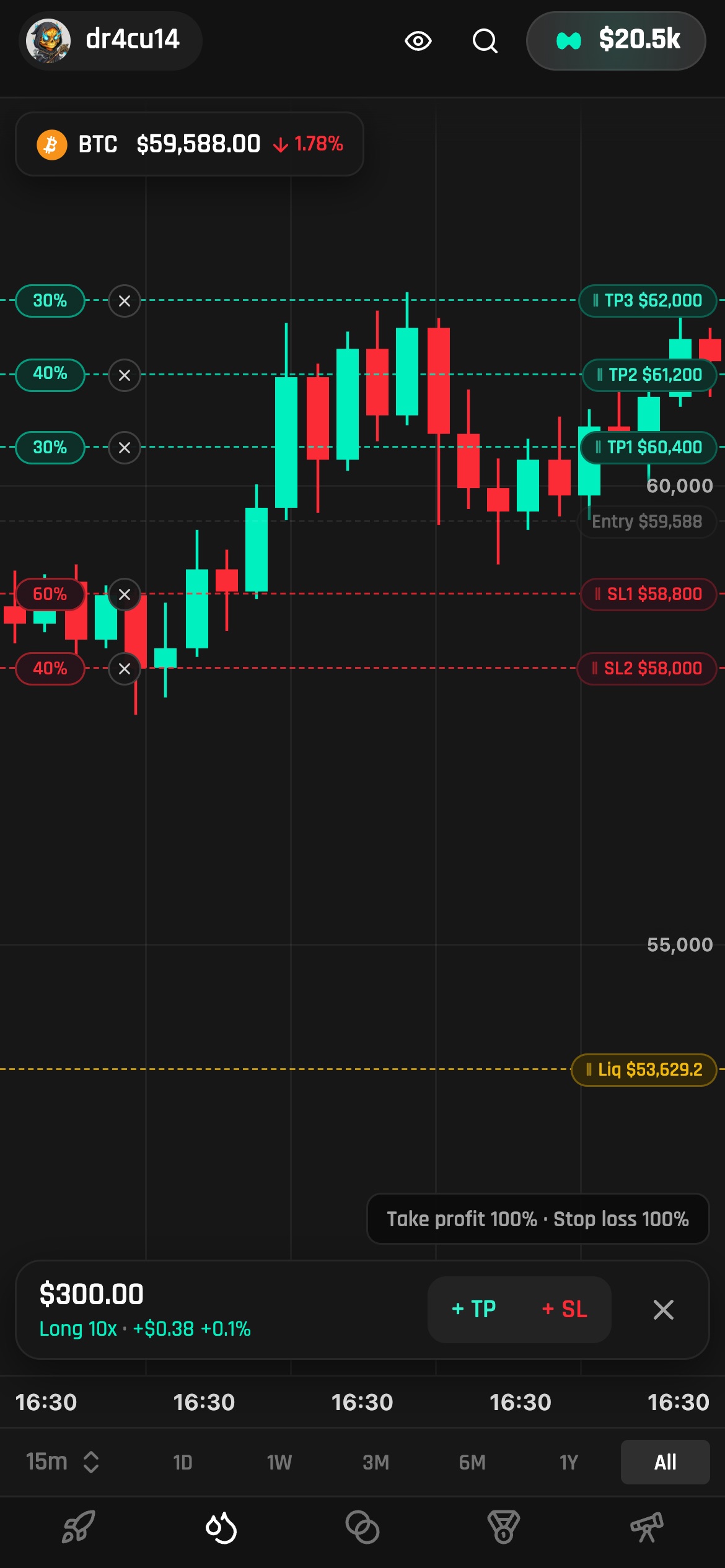
- A chart-focused edit mode: liquidation, stop loss and take profit adjusted on the chart itself, with the position panel following every drag.
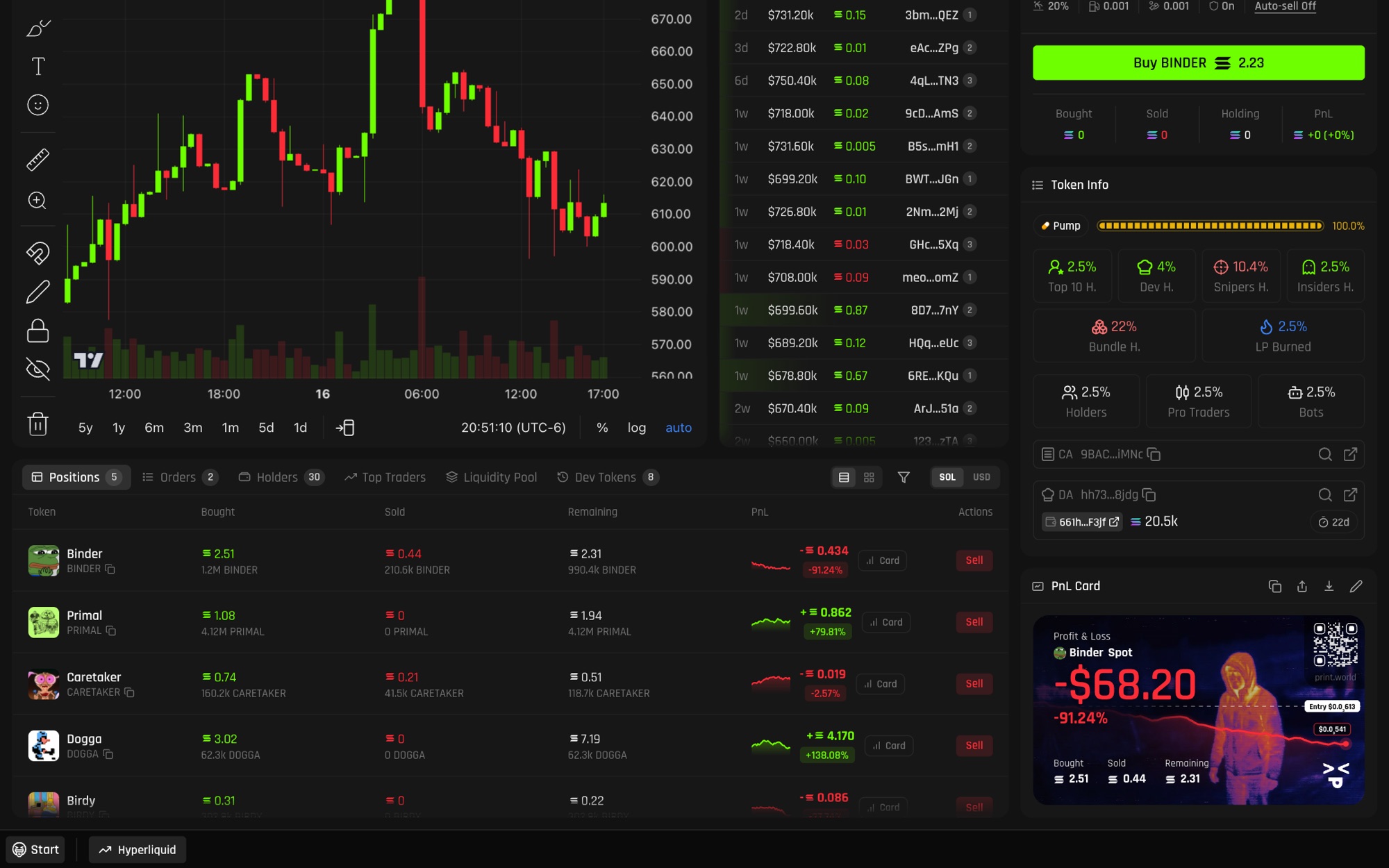
- A sidebar that gathers every position action in one place (open, close, adjust margin, liquidation) without modals, plus favourites and tabs to analyse open positions and orders.
- A test mode and a live cases table, so engineers and QA review behaviour instead of descriptions.
The price moves, the sheet doesn't
Three things decide whether a leveraged position survives: where you exit, where you take profit, and how far liquidation is. On mobile each one lived in its own sheet, one tap deeper than the chart, so traders set levels blind to the candles they were reacting to.
Levels you set by dragging them
Recorded straight from the desktop prototype. With a position open, dragging the liquidation line adjusts margin. Then Stop Loss and Take Profit: add a level and it appears on the chart; drag its tag and the price, the profit or loss and the share update in the panel. Zoom the price axis out, add a second take profit, and the position splits 50/50.
Removing surfaces until one was left
- v1Sheets for everythingSL/TP sheet, margin amount sheet, a separate chart. Complete, but far from the price.
- v2Exits as a ladderStop loss and take profit read as one ladder around the entry; the liquidation line becomes something you can move.
- v3Chart edit modeSL/TP, adjust margin and the dock rows all open the same chart-focused edit mode. The sheet stays for typing exact numbers; the chart is for adjusting.
- v4Adjust margin = drag liquidationAdjust margin opens edit mode with liquidation already picked. Cross margin stays “Add funds”.
- v5First-time finger coachA hand drags a clone of the real line while its price tag counts, so the gesture is learned on the chart itself.
Desktop and mobile, one contract
Both builds share one position model, so a level set on the phone reads the same on the desktop terminal. A lean test mode gives each feature a “Docs ↗” row plus one or two demo rows; every other case lives in the spec's live table.
One spec, edge cases included
The handoff is an HTML spec beside the prototype, and it keeps growing with the app: the position model, exits as a ladder, adjusting margin, editing on the chart, the sidebar that holds every position action, the analysis tabs, edge cases and boot states. Engineers read it; QA tests against it.