 Denys Rudenko
Direct your life's strategy with an AI partner
There was no single place to manage a life strategy and turn experience into action without spending hours in an app. Babylon Planner was the attempt: a mobile app where daily to-dos, notes and an AI partner plan personal and project schedules together, with as little time in the app as possible.
An AI partner that plans with you
Using AI, build a mobile app that combines daily to-dos, automates the routine around them, supports sustainable progress, and manages personal and project schedules with minimal interaction time.
The user talks to the AI partner to plan a project. The AI matches and merges it with what's already in the knowledge base, so every new plan builds on the old ones instead of starting from zero.
Don't reinvent the wheel, simplify the path to doing
I tried not to reinvent the wheel and focused on simplifying the process so people could spend their energy on carrying plans out. That led to three capabilities:
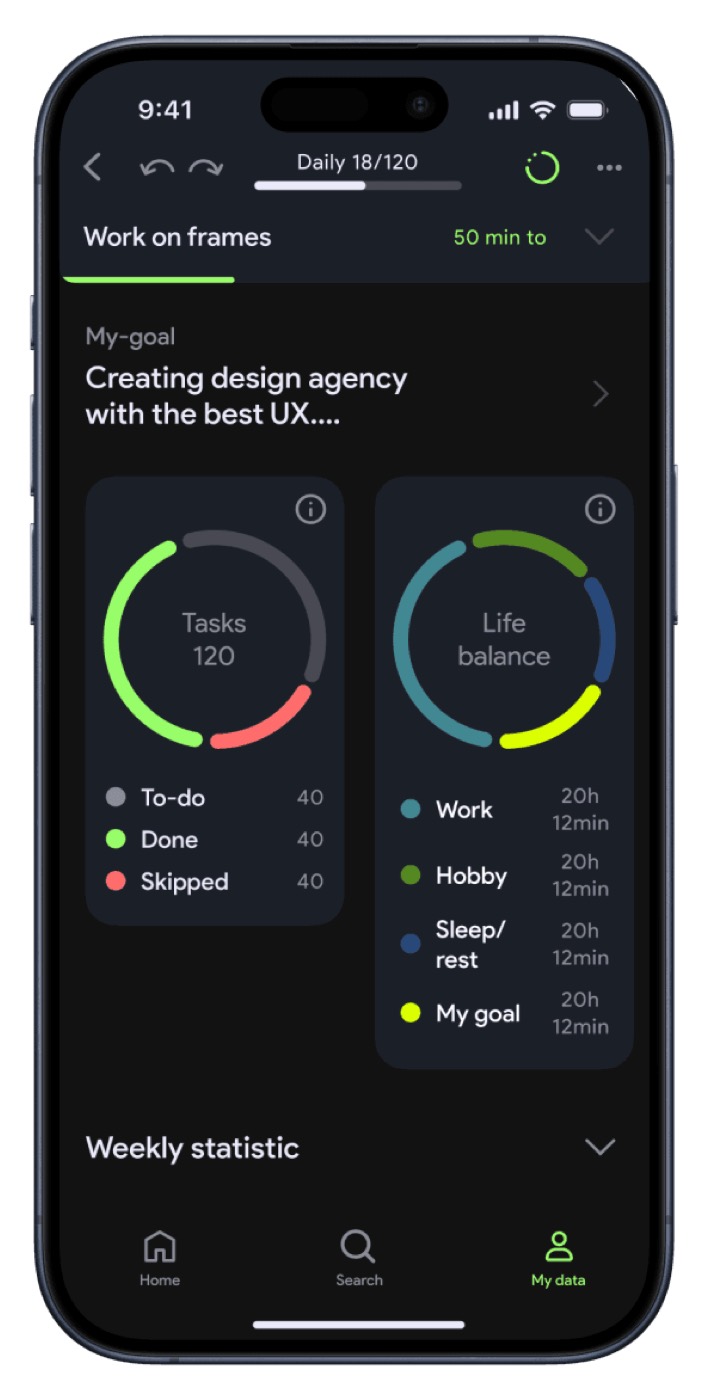
- My goalThe user's main development strategy, what they strive for. The partner helps carry it out alongside every other plan and idea.
- Auto-taggingTasks and ideas tag themselves, which keeps the knowledge base structured enough to combine later.
- A partner that learnsTogether they let the AI learn from your own content and connect the dots, so it predicts better what you need from it.
Improve an idea in the place you had it
People needed a quick way to improve their own ideas with the partner, without switching context. So the same help lives in three places: Note-AI improves an idea from its title and a prompt in a mini-chat, Task-AI does the same inside a task, and auto-tag files everything.
Programming your second brain should feel like talking
How do you make an interface for AI that is versatile without being complicated? Two principles: build on how people already communicate with other people, and use what they already know from other tools for planning and tracking long-term goals.
Research and conversations with the target audience showed that three familiar forms of interaction cover it:
- Task cardMake an idea actionable: break it down, smart scheduling, auto-tag.
- Note cardEverything a task card does, plus brainstorming and improving ideas.
- Chat with the partnerEverything above, plus combining ideas and turning them into actionable items.
Less checking, more doing
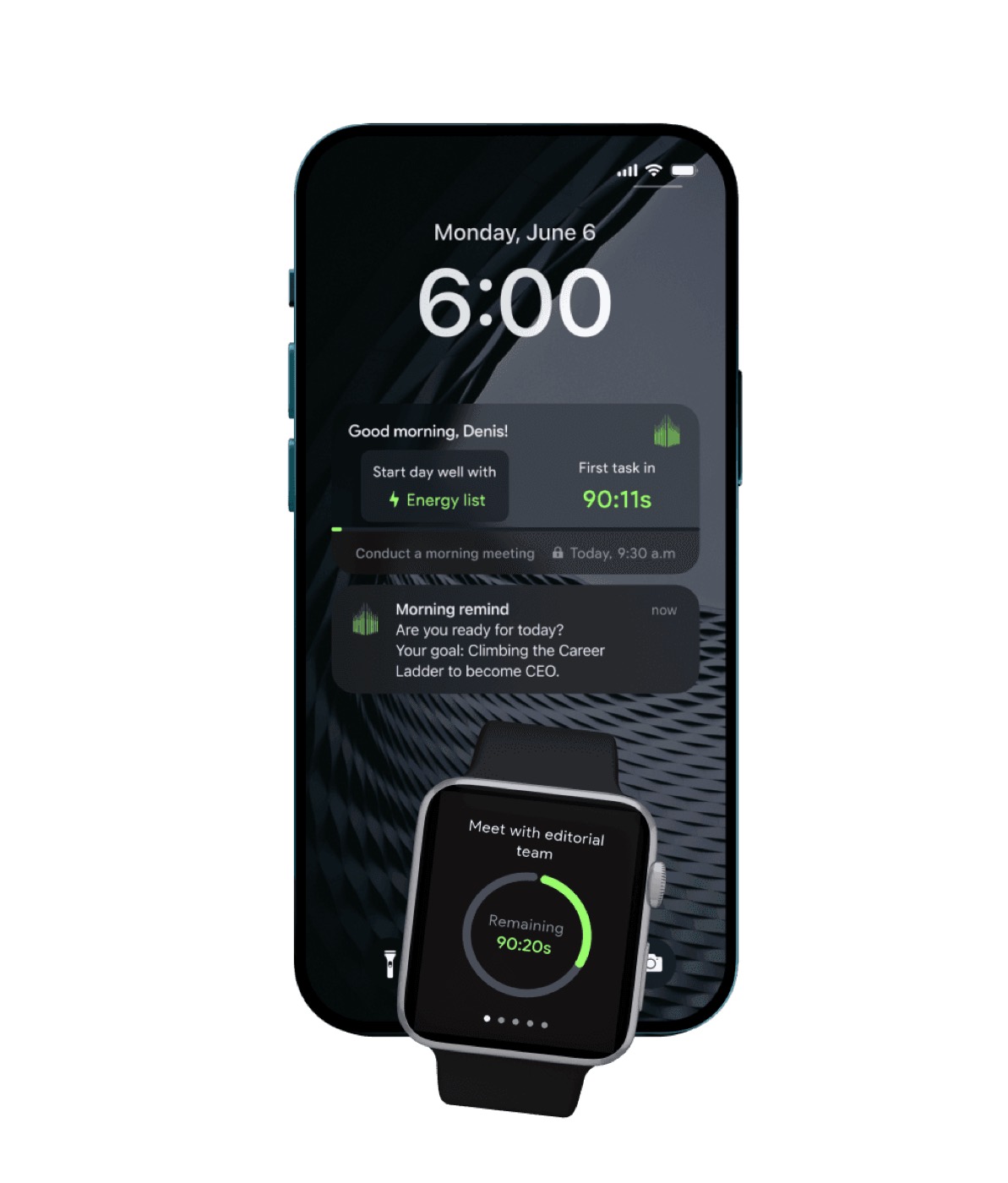
Another principle was to minimise status-checking and keep attention on results: plan, then analyse at the end of the day. So the widgets use the Pomodoro technique, always showing the current and next task, and close tasks automatically.
Research also showed people need yesterday's statistics in front of them to plan the next day and set more honest timelines, so the live widget on iPhone and Apple Watch sits next to a weekly balance wheel between personal and work.
Reminder lists at both ends of the day
To help people actually deliver their ideas, I designed reminder lists for the start and the end of the day: pick the idea you want to work on, or park the ones you haven't decided on until you're ready.
Design for the features that don't exist yet
Nobody likes change: it's stressful and costs time and money to adapt to, especially when an interface is redesigned. So the UI system was built on the app's strategy, predicting the features to come and cutting the cost of future changes.
An honest ending
The project stopped at the MVP. The next stage, connecting branches of knowledge between users, could have made shared knowledge easy to create and exchange between groups. I still believe the idea will find its way.
Watch the 100s intro on Vimeo ↗